
Introduction
AI video generator tools have become essential for creators in 2025. Whether you’re making faceless YouTube videos, cinematic scenes, reels, business explainers, or short-form social content, modern AI video generators can turn simple text prompts into high-quality videos in minutes.
The biggest advantage is speed: what once required cameras, actors, editors, and expensive software can now be created instantly using AI. From fully animated scenes to realistic cinematic shots, today’s AI video generators are powerful, accessible, and designed for both beginners and advanced creators.
Today’s AI video generator tools allow anyone to create professional-quality videos using just text prompts or simple instructions. These AI video makers reduce production time, automate editing, and help creators generate videos with AI without expensive equipment or technical skills. Whether you’re looking for a free AI video generator or a powerful text-to-video generator, this guide covers the most reliable options available in 2025.
But with so many tools on the market like Runway, Pika Labs, InVideo, Synthesia, AI MovieMaker 3.0, and more. Choosing the right one is overwhelming. Each tool specializes in different goals: some create cinematic videos, some are made for short-form social content, and others are best for business presentations or avatar-based videos.
This guide covers the top 10 AI video generator tools in 2025, explains what each one does best, compares their strengths and weaknesses, and helps you choose the perfect tool for your content style and workflow.
Whether you’re a new creator or a professional looking to upgrade your production speed, this list will help you find the right AI video generator for your needs.
What Makes a Good AI Video Tool?
Not all AI video generator tools are the same. Some are designed for storytelling, others for short-form videos, and many focus on business content or avatar-based presentations. Before choosing the right one, it’s important to understand what actually makes an AI video generator worth using in 2025.
Modern AI video generator tools combine text-to-video models, AI editing automation, and smart scene generation. When choosing the best AI video maker for your workflow, look for tools that offer fast rendering, realistic visuals, and flexible editing options. These features separate simple AI video generators from the most powerful AI video creation tools available today.
Here are the key features that define a great AI video generator tool:
1. High-Quality Video Output
The best AI video generators produce smooth, visually appealing videos with realistic motion, clean transitions, and cinematic-quality scenes. Quality varies massively between tools—Runway and Sora offer advanced realism, while beginner tools focus on fast generation.
2. Ease of Use
A good AI video maker should simplify the entire process. Whether you’re generating videos from text prompts or templates, the workflow should be intuitive enough for beginners while still offering depth for advanced users.
3. Speed & Efficiency
Instant generation is one of the biggest reasons creators choose AI video generators. The best tools render videos quickly, even at high resolution, helping creators publish more content in less time.
4. Flexibility & Control
Different creators have different needs. Some prefer complete control (scene editing, timeline, adjustments), while others want automatic video creation. A strong AI video generator should offer multiple ways to customize scenes, voices, pacing, and visuals.
5. Multimodal Capabilities
The most powerful tools support multiple modes, such as:
- Text-to-video
- Image-to-video
- Video-to-video
- AI avatars
- Voiceovers
- Captions
This allows creators to produce complete videos within a single platform.
6. Pricing & Value
AI video generator tools range from free options to premium subscriptions. The right tool should offer substantial value for the features it provides—especially for creators who produce content daily.
7. Commercial Usage Rights
If you’re creating videos for YouTube, clients, or ad campaigns, you need tools that provide safe, clear commercial licensing.
8. Stability & Community Trust
Established platforms like Runway, Pika, Canva, and Synthesia have large user bases and regularly update their features. This ensures long-term stability, reliable features, and better support.
Top 10 AI Video Generator Tools — Deep Research Version (2025 Updated)
Below is a carefully curated list of the top AI video generator tools that creators, agencies, and businesses rely on in 2025. These AI video makers were selected based on output quality, speed, pricing, user feedback, and real-world performance. Whether you need cinematic scenes, social media clips, or talking-style videos, these AI video generating tools offer the best mix of automation and customization.
1. Runway — Best Overall AI Video Generator for Cinematic Scenes
Runway is one of the most advanced and widely used AI video generator tools in the world. It powers high-end cinematic visuals and is trusted by professional editors, agencies, and filmmakers. With its Gen-2, Gen-3, and upcoming Gen-4 models, Runway produces some of the smoothest, most realistic AI-generated videos available.
Runway stands out because it’s not just a text-to-video generator—it’s a full creative suite. You can generate scenes from prompts, upload images and turn them into videos, edit footage using AI, remove objects, change backgrounds, and apply VFX. The built-in timeline editor gives creators way more control than any “one-click” AI generator.
Pricing starts with a free plan, and paid tiers (Standard, Pro, Unlimited) scale based on credits and export quality. If you want a tool powerful enough for YouTube storytelling, branded videos, or cinematic content, Runway is the best all-round AI video generation platform today.
Best for: Cinematic creators, filmmakers, editors
Strengths: Realistic output, powerful editor, advanced AI models
Weaknesses: Learning curve, higher cost for heavy use
2. Pika Labs — Best AI Video Generator for Short Cinematic Clips
Pika Labs is one of the most popular AI video generators among digital creators. Millions of users rely on Pika to turn text prompts and images into stunning short video clips. It’s fast, visually impressive, and perfect for storytelling or social media visuals.
Pika’s style is creative and cinematic. You can generate fantasy scenes, anime-style sequences, music video visuals, intros, transitions, and atmospheric mood clips. The platform is incredibly beginner-friendly—type your idea, adjust a few settings, and Pika generates a short video in seconds.
While Pika doesn’t support long-form coherent storytelling yet, it’s unbeatable for creating quick, beautiful, viral-style clips for TikTok, Reels, Shorts, and YouTube edits.
Best for: Creators who want fast, aesthetic visuals
Strengths: Easy to use, fast rendering, highly creative results
Weaknesses: Short clips only, limited advanced editing
3. AI MovieMaker 3.0 — Best Beginner AI Video Generator for Faceless Creators
AI MovieMaker 3.0 is designed for beginners who want cinematic videos without complicated software. Marketed as an 8K AI movie generator, it allows users to create scenes with AI actors, voiceovers, transitions, music, and storylines—all from simple prompts.
Unlike pro tools like Runway, AI MovieMaker focuses on speed and simplicity. It’s perfect for affiliate marketers, faceless YouTube channels, small businesses, and content creators who want fast video output. Because it’s a low-cost, one-time purchase, it’s ideal for people who cannot yet afford monthly subscriptions.
While it doesn’t match the realism of Runway or Sora, it offers an excellent balance of automation, affordability, and beginner-friendly workflows.
Best for: Faceless channels, beginners, marketers
Strengths: Affordable, simple workflow, no learning curve
4. Sora AI — Most Advanced AI Video Generator (Future Leader)
Sora by OpenAI is one of the most advanced text-to-video models ever announced. It generates long, coherent, cinematic-quality video scenes with realistic motion, physics, lighting, and emotional character expressions.
Sora understands complex instructions, like “a cinematic drone shot flying over a futuristic city at sunset,” and produces videos that look like high-end CGI. It maintains scene consistency, object stability, and accurate camera movement better than almost any other tool.
As of now, Sora is in limited access, but once fully released, it may redefine what AI video generation means.
Best for: Studios, filmmakers, high-end creators
Strengths: Ultra-realistic output, advanced scene consistency
Weaknesses: Limited access, premium pricing expected
5. InVideo AI — Best AI Video Generator for Social Media & Marketing
InVideo AI is built specifically for creators who want fast, social-ready video generation. It converts scripts into videos using templates optimized for Instagram, TikTok, YouTube Shorts, and Facebook ads.
It supports auto-captioning, voiceovers, scene generation, and a massive template library. You can also upload long videos and let InVideo automatically generate multiple short clips (key moments, reels, highlights).
If you run a social media agency, personal brand, or ad campaigns, InVideo AI is one of the most efficient tools for high-volume content creation.
Best for: Social media creators, marketers, agencies
Strengths: Templates, fast workflow, short-form optimization
Weaknesses: Not built for cinematic scenes
6. Synthesia — Best AI Video Generator for Business Presentations & Lectures
Synthesia is the most trusted AI avatar video platform for corporate and educational content. Companies like Zoom, Amazon, Johnson & Johnson, and the European Commission use Synthesia to generate training videos, tutorials, onboarding content, and explainer videos.
You pick an avatar, type your script, choose tone, and Synthesia generates a presenter-style video with professional delivery. It also supports 140+ languages, making global localization extremely easy.
If your goal is to create professional spokesperson videos, Synthesia is unmatched.
Best for: Businesses, educators, enterprises
Strengths: AI avatars, multi-language support, polished results
Weaknesses: Corporate look only, not cinematic
7. Canva AI Video — Best Beginner-Friendly AI Video Generator for Branding
Canva’s AI video generator (Magic Media) is ideal for creators who want branded content, tutorials, explainers, and social videos. It combines AI features with Canva’s massive template library.
You can generate short clips, add animations, text overlays, graphics, transitions, and voiceovers. It’s incredibly simple and perfect for creators who want clean, professional video designs quickly.
Canva Pro remains one of the best-value subscriptions for content creators.
Best for: Branding, reels, tutorials
Strengths: Templates, drag-and-drop, easy editing
Weaknesses: Limited realism, not built for cinematic scenes
8. HeyGen — Best AI Video Generator for Avatar-based Short Videos
HeyGen is a popular AI video generator for short-form content featuring avatars and talking presenters. Its face-swap, voiceover, and lip-syncing features make it ideal for creators who want to appear on camera—without actually recording themselves.
It’s also widely used for short explainer videos, social content, personalized messages, and marketing videos.
Best for: Short-form creators, avatar videos
Strengths: AI avatars, face-swap, talking videos
Weaknesses: Limited scene generation
9. Descript — Best AI Video Generator for Talking Videos & Podcasts
Descript is not a cinematic generator but one of the most important AI tools for talking-style video creation. You edit your video by editing the transcript — delete text, and the video cuts automatically.
It also offers voice cloning, filler-word removal, screen recording, and automatic captions. For tutorial creators, commentary channels, and educators, Descript dramatically speeds up production.
Best for: Course creators, podcasters, commentary channels
Strengths: Text-based editing, voice cloning, easy workflow
Weaknesses: Not for cinematic visuals
10. Google Veo — Best AI Video Generator for Realistic & Clean Visual Quality
Google Veo is a powerful video generation model built into Google’s ecosystem (Gemini, YouTube tools, Android Studio). It specializes in clean, realistic scenes with smooth motion, cinematic lighting, and accurate physics.
Its strength lies in stable, clean output that works well for storytelling, concept videos, and cinematic scenes. Veo integrates with YouTube and other Google platforms, making it perfect for creators in the Google ecosystem.
Best for: YouTube creators, cinematic storytellers
Strengths: Realistic motion, clean video generation
Weaknesses: Limited public access
Which AI Video Generator Tool Is Best for You?
There is no single “best” AI video generator for every creator. The right tool depends entirely on your content style, skill level, and goals. Here’s a quick breakdown to help you choose the ideal AI video maker based on your needs:
If you want cinematic AI videos:
Choose Runway or Sora AI.
These tools produce the most realistic, high-end video generation with smooth camera movement, detailed scenes, and advanced controls.
If you want short, aesthetic clips:
Choose Pika Labs.
It’s fast, fun, and perfect for generating short videos for Reels, TikTok, and YouTube Shorts.
If you’re a beginner or faceless creator:
Choose AI MovieMaker 3.0.
It’s simple, affordable, and great for generating complete videos with minimal effort.
If you need videos for business or training:
Choose Synthesia.
Its AI presenters and multilingual support make it perfect for corporate videos, tutorials, and educational content.
If you want fast social media content:
Choose InVideo AI or Canva AI.
These tools are ideal for short-form videos, ads, captions, and branded video posts.
If you want avatar-based short videos:
Choose HeyGen.
It’s ideal for making professional talking videos without appearing on camera.
If you focus on talking-style or commentary videos:
Choose Descript.
It’s perfect for creators who want to edit videos simply by editing text.
If you want future-ready realistic visuals:
Choose Google Veo.
Veo generates clean, high-quality scenes and will only keep improving.
Ultimately, the best AI video generator tool depends on your niche, budget, and production style. Some creators prefer a simple AI video maker for quick content, while others need a powerful cinematic text-to-video generator. By understanding your goals, you can choose the AI video generating software that fits your workflow and helps you produce content faster than ever.
Suggested Add-On Section for Multiverse AI 2.0
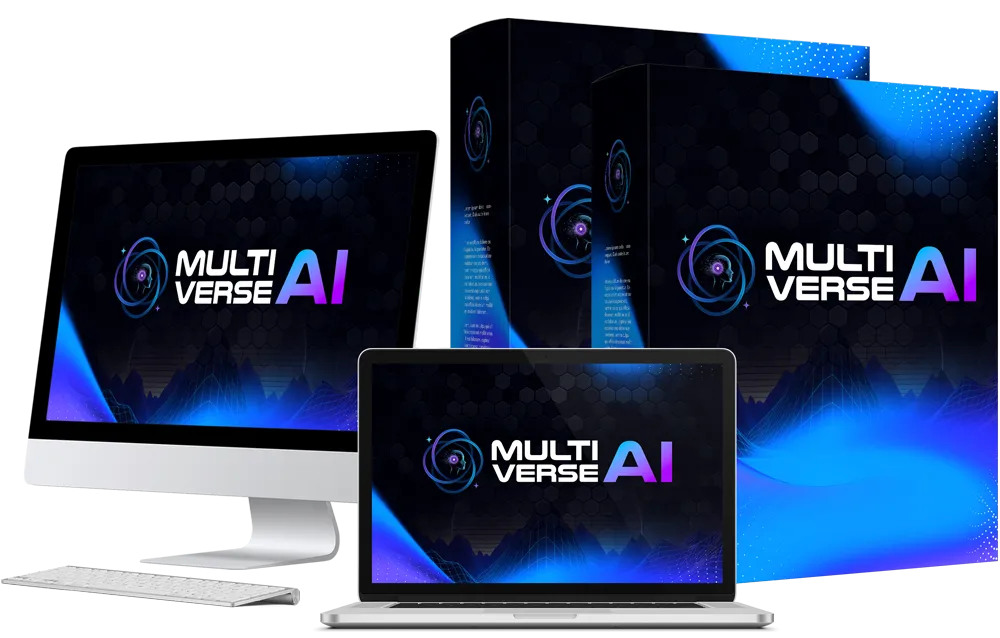
If you want access to all the top 10 AI video generator tools inside one platform, then Multiverse AI 2.0 is the smartest choice. It combines AI video generators, text tools, image creators, voice tools, and automation workflows into a single dashboard — perfect for creators who want everything in one place without paying for multiple subscriptions.
AI Video Generator Tool Use Cases & Examples
AI video generator tools can be used in dozens of creative, business, and content scenarios. Here are some of the most popular and profitable use cases in 2025:
- Faceless YouTube Channels
Creators generate scenes using AI MovieMaker, Runway, or Pika and add AI voiceovers with ElevenLabs.
Example: Motivational channel, storytelling, documentary-style content. - Social Media Content (Reels, Shorts, TikTok)
InVideo AI and Canva AI are ideal for fast short-form creation.
Example: Product videos, listicles, trending edits, branded reels. - Cinematic Storytelling
Runway and Sora can create movie-style scenes for narrative videos.
Example: Sci-fi stories, animated films, music video visuals. - Business & Corporate Videos
Synthesia and HeyGen allow brands to generate presenter-style videos for training, onboarding, and announcements.
Example: Software tutorials, HR training, policy explainers. - AI-Generated Ads
Tools like InVideo AI help brands produce multiple ad versions using templates and auto-captioning.
Example: TikTok ads, Instagram ads, product demo videos. - Educational & Tutorial Videos
Creators use Descript and Synthesia to generate step-by-step training content.
Example: Courses, online classes, webinars, SaaS tutorials. - Viral Clips & Creative Visual Assets
Pika and Runway help creators produce artistic scenes for music videos, intros, and cinematic transitions.
Example: Mood videos, fantasy scenes, concept visuals. - Automated Content Repurposing
InVideo AI can turn long videos or podcasts into multiple short clips.
Example: Clip highlights, reels, shorts, teasers.
AI video generator tools offer unlimited possibilities, allowing creators to produce more content in less time — and with better quality.
The biggest advantage of AI video generator tools is that they allow you to scale content production without limiting your creativity. You can generate full videos from text, convert ideas into cinematic scenes, or repurpose long content into short videos using AI. These AI content creation tools save hours of manual editing and make it easier to publish more frequently across all platforms.
Final Thoughts
Choosing the best AI video generator tool in 2025 depends on what you want to create, how quickly you want to work, and how much control you need. Professional creators may prefer Runway or Sora for cinematic video generation, while beginners and marketers often choose AI MovieMaker 3.0, Canva, or InVideo for quick results.
The best approach is to start with the tool that aligns with your workflow today, learn its strengths, and expand your toolkit as your content grows. With AI evolving rapidly, your production speed, creativity, and efficiency will only increase over time.
AI video generators are no longer optional — they’re now an essential part of modern content creation. The creators who embrace these tools early will have a massive advantage in storytelling, speed, and monetization.
As AI video generation continues to evolve, creators who adopt these tools early will stay far ahead of the competition. Whether you choose a beginner-friendly AI video maker or a high-end text-to-video generator, the right AI video tool will help you create faster, publish more often, and grow your audience with minimal effort.
Create cinematic AI videos effortlessly with scripts, scenes, and voiceovers auto-generated for you.
About the Author
This article is written by Jajpo, a performance marketer and AI tools reviewer. I test AI software and publish guides to help creators choose the right tools for their content workflow.
3 thoughts on “Top 10 AI Video Generator Tools (2025 Updated)”
Comments are closed.