
Introduction
Faceless AI videos have exploded in popularity in 2025, allowing creators to produce high-quality content without ever appearing on camera. With modern AI video generators, voice tools, and automated editing, anyone can build YouTube channels, social media pages, or storytelling content from home—fast, anonymously, and at scale.
This shift has completely changed the creator economy. You no longer need expensive cameras, lighting, actors, or editors. With the right set of AI tools, you can create cinematic scenes, explainer videos, short-form clips, tutorials, or storytelling videos—all without revealing your identity.
Whether your goal is to start a faceless YouTube channel, grow on social media, or create videos for affiliate marketing, AI makes the entire process faster, easier, and more profitable.
In this guide, you’ll learn exactly how to create faceless AI videos from scratch, which tools you need, which niches work best, and how to monetize your content in 2025. This is your complete step-by-step blueprint.
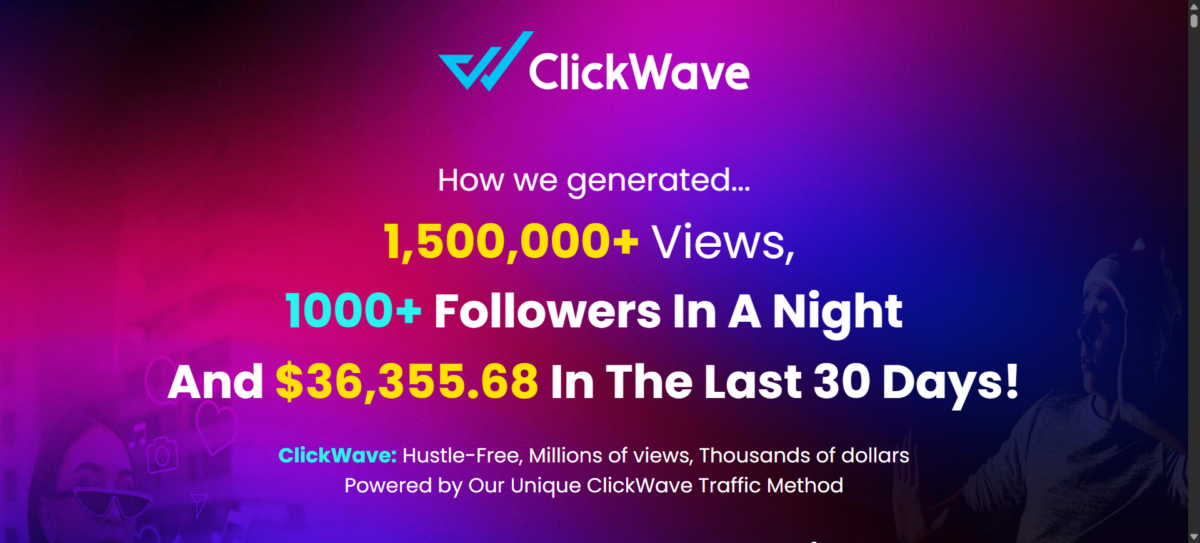
Faceless videos are everywhere right now.
Some are pulling thousands — even millions — of views with almost no effort.Naturally, tools like ClickWave are starting to show up, promising to turn that attention into income.
What Are Faceless AI Videos?
Faceless AI videos are videos where the creator does not appear on camera. Instead, the visuals, voices, and editing are produced using AI tools. These videos can be:
The key advantage of faceless AI videos is that production becomes almost fully automated—AI writes your script, generates your visuals, narrates your voiceover, and helps you edit the final video.
- Text-to-video generated scenes
- AI avatar videos
- Stock footage with AI voiceovers
- Cinematic AI clips
- Animated sequences
- Tutorials using screen recordings
- Slideshows or infographic videos
- Explainer styles with AI narration
The key element is that your identity stays hidden.
Creators choose faceless videos for many reasons:
- They are camera shy
- They want privacy
- They prefer automation
- They want fast production
- They run multiple channels
- They focus on efficiency over personal branding
AI makes it possible to scale faceless content faster than ever before.
Why Faceless Videos Are SO Popular in 2026
Faceless AI videos are booming for three powerful reasons:
1. They are easier to produce
No human recording needed.
No studio.
No re-takes.
No filming.
No makeup, lighting, or background.
You can generate:
- A full script
- A full video
- A voiceover
- Scenes
- Captions
…all in under an hour.
AI reduces the production time by 90%, even for long videos.
2. They work extremely well for YouTube automation
Most profitable YouTube niches don’t require a face:
- Motivational videos
- Business and finance
- Tutorials
- Facts/knowledge
- Animated explainers
- Gaming
- Tech videos
- Reviews
- Documentaries
Faceless content is proven to perform well because viewers care about the value—not who is on camera.
3. AI tools have become incredibly powerful
Modern AI can now:
- Generate cinematic scenes (Runway, Pika, Sora)
- Create avatars (HeyGen, Synthesia)
- Produce human-like voices (ElevenLabs)
- Edit automatically (Descript)
- Write full scripts (ChatGPT, DeepSeek)
You can create professional videos with zero technical experience.
4. You can stay anonymous while earning money
There are huge benefits:
- No risk of ruining your reputation
- No personal exposure
- No need to feel confident on camera
- You can run multiple channels
- You can outsource or automate everything
This is why faceless content is ideal for beginners and affiliate marketers.
5. The monetization potential is huge
Faceless channels succeed in:
- AdSense
- Sponsorships
- Affiliate marketing
- Selling digital products
- Growing personal brands anonymously
- Short-form content monetization
Some faceless channels earn $10,000–$50,000 per month without ever appearing on camera.
AI helps you compete with big creators even if you’re starting from scratch.
6. More consistent uploads = faster growth
Because AI handles scriptwriting, visuals, and voiceover, creators can upload daily or multiple times per week.
Consistency = views = subscribers = monetization.
The creators who master faceless AI content now will dominate YouTube and social platforms in the coming years.
In 2025, more than 70% of new YouTube channels in the education, tech, facts, and motivation niches operate faceless—because viewers focus on value, not the person on camera.
Tools Needed to Create Faceless AI Videos
Creating faceless AI videos requires just a few essential tools. You don’t need a camera, microphone, or editing studio. Instead, you’ll use AI-powered software that handles scriptwriting, visuals, voices, and editing for you.
Below is the complete breakdown of all the tools you need to produce professional faceless videos in 2025.
1. AI Video Generator Tools (Core Requirement)
AI video generators create the visual part of your faceless videos. These tools convert text prompts, images, scripts, or ideas into video clips automatically.
Here are the best AI video generator tools for faceless creators:
Runway
Best for cinematic, realistic scenes.
Use it to generate story shots, visuals, B-roll, and transitions.
Pika Labs
Best for short cinematic clips.
Perfect for intros, transitions, explainer visuals, and motion scenes.
AI MovieMaker 3.0
Best for beginners who want complete videos quickly.
Ideal for faceless channels and affiliate marketers.
InVideo AI
Best for short-form videos, listicles, and social media content.
Canva AI Video (Magic Media)
Great for branded videos, tutorials, hooks, and reels.
Synthesia / HeyGen
Perfect for AI avatars, business explainers, and talking-style content.
Google Veo
Best for ultra-high-quality visuals when you need realistic motion and lighting.
2. AI Voice Generators (Narration for Your Videos)
Faceless videos still need voiceovers, and AI voices in 2025 sound almost indistinguishable from human speech.
The best choices are:
ElevenLabs
The gold standard for natural, emotional, humanlike AI voices.
Great for narration, storytelling, and dubbing into multiple languages.
Descript Overdub
Allows you to create an AI clone of your own voice if you want consistent branding.
Play.ht or Lovo AI
Excellent for budget-friendly, fast voice generation.
YouTube-optimized voices
Some AI tools come with pre-built “YouTube narrator style” voices that perform extremely well for motivational, educational, or documentary content.
For faceless channels, your voiceover tone matters more than visuals — a clear, calm voice increases watch time, which boosts algorithm performance.
3. AI Scriptwriting Tools (For Ideas, Outlines, and Full Scripts)
The script is the foundation of your video. With AI tools, you can generate:
- Topic ideas
- Video outlines
- Engaging scripts
- Hooks
- CTAs
- Titles & descriptions
- Story structures
The best script tools are:
ChatGPT (GPT-4.1 or GPT-5)
The most powerful all-round AI writing assistant.
DeepSeek
Extremely strong reasoning and long-form writing, at a very cheap cost.
Claude
Ideal for clean writing, storytelling, and clear explanations.
Multiverse AI 2.0
Great if you want writing + video tools + editing in one dashboard.
Pro tip:
Always give your AI detailed prompts with your tone, style, target audience, and video format. Better prompts = better videos.
4. AI Editing Tools (To Assemble Everything Together)
Once you have your AI visuals and voice, you need to combine them into a clean final video.
You do not need complex software like Premiere Pro unless you want it.
Here are the best editors for faceless creators:
Descript
The #1 editor for AI-powered video editing.
You edit video by editing text — extremely easy.
CapCut
Free, powerful, and perfect for Shorts/Reels.
DaVinci Resolve
Best for cinematic creators needing professional control.
Filmora AI
Beginner-friendly, fast, and easy to use.
Canva Video Editor
Ideal for branded videos, intros, and text-based content.
5. Optional Tools That Increase Quality & Output
A. Stock Footage Libraries
To mix with your AI clips:
- Storyblocks
- Pexels
- Pixabay
- Envato Elements
B. AI Thumbnail Tools
The thumbnail drives CTR → CTR drives growth.
Use:
- Midjourney
- FLUX
- Stable Diffusion
C. AI Music Generators
Royalty-free background music:
- AIVA
- Beatoven
- Soundraw
- YouTube Creator Music
D. AI Automation Tools
For bulk content creation:
- Opus Clip (repurposing long videos)
- QuickVid
- Vidyo.ai
E. SEO & Keyword Tools
For faceless YouTube growth:
- TubeBuddy
- VidIQ
- AnswerThePublic
- Google Trends
Which Tools Do You Actually Need to Start?
You don’t need every tool on this list. Start simple, build consistency, and upgrade your AI tools only when your videos begin performing well.
To keep it simple:
Beginner Loadout (Free or Low-Cost):
- AI visuals → AI MovieMaker 3.0 or Pika
- AI voice → ElevenLabs free tier
- Scriptwriting → ChatGPT / DeepSeek
- Editing → CapCut or Descript
- Thumbnails → Midjourney or Canva
Intermediate Loadout:
- Runway
- ElevenLabs
- Descript
- Canva AI
Advanced Loadout (High-End):
- Runway + Pika + Google Veo
- ElevenLabs Pro
- DaVinci Resolve
- Midjourney / FLUX
- Automation tools
All-in-One Budget Solution:
- Multiverse AI 2.0 (script + visuals + templates + voice)
This makes faceless content creation MUCH easier.
Step-by-Step: How to Create Faceless AI Videos
Creating faceless AI videos is much easier than people think. You don’t need a studio, camera, microphone, or editing experience. You only need a simple workflow and the right tools.
Below is the exact 8-step process used by successful faceless YouTube channels, TikTok creators, and social media content producers.
Follow these steps exactly — and you will produce high-quality videos consistently.
Step 1: Choose Your Niche (The Foundation of Success)
Before generating any AI videos, you must choose a niche. Faceless channels work in dozens of categories, but not all are profitable.
The best niches for faceless content:
- Motivation & self-improvement
- Finance & investing
- AI & tech tutorials
- Personal development
- Business and entrepreneurship
- Travel with AI-generated scenes
- Fun facts / educational topics
- History and documentary-style videos
- Movie summaries
- Book summaries
- Science & space
- Luxury lifestyle
- Fitness tips
- Mystery & storytelling
- Productivity tips
How to pick your niche:
- Choose something you can produce content for daily.
- Avoid niches you don’t understand.
- Make sure the niche has high CPM (YouTube pays more).
- Check if other faceless channels succeed in that niche.
Pro Tip:
Use YouTube search + filters → upload date → last 7 days.
If faceless channels are uploading daily → it’s profitable.
Step 2: Find Trending Topics (This Drives Views Faster)
You don’t need to guess topics — let algorithms decide.
Best topic research tools:
- YouTube search suggestions
- AnswerThePublic
- Google Trends
- VidIQ
- TubeBuddy
- X (Twitter) trending hashtags
- Reddit (subreddits related to your niche)
Your goal is to find topics that are:
- Already trending
- Search-friendly
- Low competition
- High watch-time potential
Quick method to find topics (10 minutes):
- Go to YouTube
- Search your niche keyword
- Filter → Upload Date → This Week
- Open 10 successful videos
- Copy their titles into a list
- Modify and create your own version
You now have daily content ideas forever.
Step 3: Write Your Script Using AI (Fast & High Quality)
Your script is the core of your video.
AI makes this extremely easy.
Best AI script tools:
- ChatGPT (best reasoning + structure)
- DeepSeek (best long-form writing + cost efficient)
- Claude (best storytelling)
- Multiverse AI (all-in-one workflow)
Script structure for faceless videos:
- Hook (first 5 seconds)
- Intro to the topic
- Main points (2–5 sections)
- Interesting facts, examples, numbers
- Call to action (optional)
- Ending summary
Example prompt you can use:
“Write a 60-second YouTube script about the benefits of learning AI. Tone: friendly, clear, and motivating. Include a hook, 3 main points, and a concise ending.”
Script length guide:
- Shorts/Reels → 20–30 seconds
- YouTube video → 1–10 minutes
- TikTok → 15–60 seconds
- Explainer video → 30–90 seconds
The better your script, the higher your viewer retention.
Once your script is ready and polished, the next step is transforming your words into meaningful visuals using your AI video generator.
Step 4: Generate AI Visuals (Your Faceless Video Scenes)
This is where AI replaces the camera.
Best tools for visuals:
- Runway → cinematic video generation
- Pika Labs → short, aesthetic clips
- AI MovieMaker 3.0 → fast, beginner generator
- Canva AI → branded visuals
- InVideo AI → social-friendly videos
- Sora / Google Veo → advanced realism (when available)
How to choose the right tool:
| Goal | Tool |
|---|---|
| Cinematic storytelling | Runway, Sora |
| Short clips | Pika |
| Simple faceless storytelling | AI MovieMaker |
| Reels/Shorts/ads | InVideo, Canva |
| Business explainers | Synthesia, HeyGen |
How to use AI visuals:
- Take one line of your script.
- Turn it into a text prompt.
- Generate 2–5 clips for each line.
- Download your best clips.
- Arrange them in your editor.
Pro Tip:
Use a consistent style across all clips to maintain visual coherence.
For beginners, it’s better to stick to one AI video generator at first so your video style stays consistent and recognizable.
Step 5: Generate AI Voiceover (No Recording Needed)
AI voices are now incredibly human-like. You can choose:
- Male or female
- Emotional tone
- Calm, exciting, cinematic
- Different languages
- Voice clones
Best AI voice tools:
- ElevenLabs (most realistic)
- Play.ht
- Lovo AI
- Descript Overdub
How to use:
- Copy your script.
- Paste into your voice tool.
- Select your desired voice.
- Adjust pacing, tone, and emphasis.
- Export audio.
A good voiceover dramatically improves viewer retention.
Avoid using overly robotic voices or ultra-fast pacing—your narration sets the emotional tone for the entire video.
Step 6: Edit & Combine (The Final Assembly)
Even faceless videos need a clean edit.
Best editing tools:
- Descript
- CapCut Desktop
- DaVinci Resolve
- Canva Video Editor
Editing steps:
- Import your AI visuals
- Import your AI voiceover
- Cut clips to match narration
- Add transitions
- Add subtitles (use auto-captioning)
- Add background music
- Add sound effects
- Add your branding (logo, colors, intro)
Pro Tip:
Add subtitles — they increase watch time by 20–40%.
Every 3–5 seconds, change the scene, add text, or introduce motion. This small tactic significantly boosts viewer retention, especially in faceless content.
Step 7: Upload & Optimize (SEO + Retention)
Posting your video is not enough.
You must optimize it.
YouTube SEO checklist:
- Strong title with keywords
- Compelling thumbnail
- 2–3 lines of engaging description
- Add keywords naturally
- Add tags
- Add timestamps
- Add end screens
- Add cards
- Add your affiliate link (if needed)
For Shorts/Reels/TikTok:
- Use trending audio
- Add text overlays
- Keep 100% watch time for 3 seconds
- Use clean vertical formatting
Upload schedule:
- YouTube → 2–4 videos/week
- Shorts → daily
- TikTok/Reels → 3–5 videos/week
Consistency = algorithm boost.
Step 8: Monetize Your Faceless Videos
There are many ways to monetize:
1. YouTube AdSense
Once you reach 1,000 subs + 4,000 hours.
2. Affiliate Marketing
Add product links in your description.
3. Digital Products
Courses, templates, guides.
4. Brand Sponsorships
Companies will pay for mentions.
5. Short-Form Bonuses
TikTok Creator Rewards
YouTube Shorts Bonus
Instagram Bonuses
6. Freelancing / Selling Video Services
Create faceless videos for clients.
7. Automation (Multiple Channels)
Run multiple faceless channels for exponential growth.
Best Niches for Faceless YouTube Channels
Choosing the right niche is the biggest factor that determines whether your faceless AI channel grows quickly or struggles. Some niches have high demand, strong viewer retention, and excellent CPM rates. Others are oversaturated or lack monetization potential.
Below is a list of the best niches for faceless videos in 2025, with why they work, how profitable they are, and what type of AI content you can produce inside each category.
1. Motivation & Self-Improvement (Best for Fast Growth)
Motivational videos are one of the most successful faceless formats. They need simple visuals (cinematic clips, stock footage, AI scenes) and a clean voiceover — perfect for AI automation.
Why this niche works:
- Huge daily search volume
- Strong emotional connection
- Evergreen topics
- High watch time
- Easy to script using AI
- Great for YouTube Shorts & TikTok
Successful video types:
- Success stories
- Inspirational speeches
- Productivity quotes
- Discipline & mindset videos
- Life lessons
- “Wake up” motivational edits
Tools recommended:
- Runway / Pika for visuals
- ElevenLabs for powerful narration
- CapCut for fast editing
2. Finance, Investing & Side Hustles (Highest CPM)
This is one of the most profitable niches in the world. CPM can reach $20–$45.
Why the niche works:
- Huge advertiser demand
- Evergreen financial topics
- Viewers watch longer (more ads)
- Perfect for faceless style
- High affiliate potential
Content ideas:
- Money-saving tips
- Passive income ideas
- Business advice
- Stock market basics
- Side hustle tutorials
- AI tools to make money
Tools recommended:
- Descript for narration pace
- Canva for clean, branded visuals
- AI MovieMaker 3.0 for story-based visuals
3. AI & Tech Tutorials (Trending in 2025)
Massive growth niche thanks to global interest in AI.
Why the niche works:
- Daily trending topics
- Low competition for new tools
- Great for affiliate commissions
- Easy scripting with ChatGPT
- High CPM due to technology advertisers
Example content:
- “Best AI tools for beginners”
- “How to use AI to make money”
- “Top AI video generators”
- “AI news, updates, and releases”
Tools recommended:
- Screen recordings
- Runway visuals
- ElevenLabs narration
This niche aligns perfectly with your website jajpo.com, making it a great crossover niche for internal links.
4. Facts, Knowledge & Educational Videos (High Watch Time)
These channels get millions of views without showing faces.
Why it works:
- Kids, teens, and adults love trivia
- Always fresh content
- Low production requirements
- Ideal for AI storytelling
- Strong Shorts performance
Content ideas:
- Interesting facts
- Science explanations
- Personality psychology
- Geography facts
- Mystery facts
Visual style:
- Pika for visual clips
- Canva for infographic-style animations
5. Book Summaries & Self-Help Summaries
These channels grow extremely fast because they provide value in a short time.
Why it works:
- Low content competition
- High watch time
- Great CPM
- Easy to produce with AI
Example content:
- “Atomic Habits summary”
- “7 Habits of Highly Effective People explained”
- “Self-help book lessons”
You only need:
- ChatGPT to summarize
- ElevenLabs for voice
- Stock video + AI clips
6. Documentaries & Storytelling (High Engagement)
These videos use AI B-roll, cinematic shots, and calm narration to tell stories.
Why it works:
- High retention
- Unique content opportunities
- Good for long-form monetization
Topics:
- History
- Space
- Crime
- War
- Biography stories
- Science mysteries
Tools needed:
- Runway for cinematic visuals
- Descript for assembly
7. Movie Summaries & Movie Explanations
Very popular among anonymous creators.
Why it works:
- Insane watch time
- Viral potential
- Loyal audience
But you must avoid copyright violations, so use:
- Public domain content
- Original commentary
- Scene transformation rules
8. Luxury Lifestyle & Travel Videos
These videos perform extremely well with AI-generated visuals.
Why it works:
- Strong visual appeal
- High CPM for luxury advertisers
- Highly shareable
Content ideas:
- “10 most expensive houses”
- “Top luxury cars 2025”
- “AI-generated travel destinations”
Tools:
- Google Veo or Runway
- AI MovieMaker
9. Health, Fitness, and Wellness (Evergreen)
Faceless health channels are massive because people want quick answers.
Why it works:
- Daily search demand
- Short-form content performs great
- Low competition in AI format
Topics:
- Workout tips
- Nutrition advice
- Mental health tips
- Healthy habits
Just avoid medical claims that require professional verification.
10. Productivity, Digital Skills, and Career Tips
These videos are simple, clean, and powerful for faceless creators.
Why it works:
- High watch time
- Universal audience
- Great for affiliate marketing (courses, tools)
Topics:
- Time management
- Study skills
- Digital skills tutorials
- Career advice
How to Choose Your Niche (Quick Filter Method)
Use this simple filter:
✔ Passion — Can you talk about this daily?
✔ Profit — Does it have high CPM & affiliate potential?
✔ Popularity — Are there already successful channels?
✔ Practicality — Can AI generate visuals for this niche?
If all four are yes → You found your niche.
Full Recommended AI Workflow (Beginner → Advanced)
Creating faceless AI videos becomes much easier when you follow a clear workflow. Whether you’re a complete beginner or an advanced creator, the key is to build a repeatable process that lets you publish content consistently.
Below is the exact workflow used by successful faceless creators, divided into three levels:
- Beginner Workflow (Simple & Fast)
- Intermediate Workflow (Better Quality)
- Advanced Workflow (Professional Pipeline)
Choose the level that matches your skill and time.
BEGINNER WORKFLOW (Fastest & Easiest)
Perfect for:
- Beginners
- People with no editing skills
- Creators who want fast publishing
- Affiliate marketers
- Low-budget content creators
This workflow allows you to create a complete faceless video in 30–60 minutes.
Tools Needed:
- AI visuals → AI MovieMaker 3.0 or Pika Labs
- AI voice → ElevenLabs (free tier)
- Script → ChatGPT / DeepSeek
- Editing → CapCut
- Thumbnail → Canva / Midjourney
Beginner Step-by-Step Process:
- Script
Ask ChatGPT or DeepSeek for a 30–60 second script or a 3–5 minute narrative. - Generate Visuals
Use AI MovieMaker 3.0 to create complete scenes instantly
OR
Use Pika Labs for aesthetic, cinematic short clips. - Voiceover
Paste your script into ElevenLabs and choose a natural-sounding voice. - Editing
Drag visuals + voiceover into CapCut.
Add subtitles (auto captions), background music, transitions. - Thumbnail
Create a simple bold design in Canva. - Upload
Add title, description, tags, and relevant keywords.
Why the Beginner Workflow Works
Fast. Simple. Cheap.
You don’t need film-style consistency — just clean visuals + a good voiceover + subtitles.
This workflow is enough to reach 1,000 subscribers and start monetizing.
INTERMEDIATE WORKFLOW (Higher Quality, Better Engagement)
Perfect for:
- Creators aiming for long-term growth
- Channels wanting higher retention
- People with basic editing experience
- Better storytelling content
This workflow produces high-quality faceless videos suitable for long-form YouTube.
Tools Needed:
- AI visuals → Runway + Pika
- Script → ChatGPT or Claude
- Voice → ElevenLabs (paid tier)
- Editing → Descript or CapCut Desktop
- Thumbnail → Midjourney / FLUX
- SEO → TubeBuddy / VidIQ
Intermediate Step-by-Step Process:
- Deep Scriptwriting
Use AI to generate a narrative with storytelling, examples, and emotional beats. - Visual Generation (Hybrid Method)
For each line of your script:- Use Runway for cinematic sequences
- Use Pika for stylized transitions or creative shots
- Mix in stock or b-roll footage for realism
- Voiceover
ElevenLabs paid tier provides the most realistic voices for longer videos. - Editing
Use Descript to combine all clips — editing via transcript makes assembly fast. - Thumbnail Strategy
Use Midjourney or FLUX for strong, emotion-driven thumbnails. - Upload Optimization
Add:- SEO title
- Engaging description
- Timestamp chapters
- Affiliate links
- End screens & cards
Why the Intermediate Workflow Works
This method creates high-retention videos with cinematic visuals and storytelling — great for longer watch time and YouTube algorithm growth.
ADVANCED WORKFLOW (Professional Creator Pipeline)
Perfect for:
- High-end faceless channels
- Business / tech / documentary channels
- Agencies
- Creators aiming for $10k+/month
- Multi-channel automation
- Full-scale AI production
This is the workflow used by serious faceless creators who want to build long-term, brandable channels.
Tools Needed:
- AI visuals → Runway + Sora (when available) + Google Veo
- Consistency → Reference images + visual style prompts
- Voice → ElevenLabs Pro or cloned voice
- Script → ChatGPT / Claude / DeepSeek R1 reasoning
- Editing → DaVinci Resolve + Descript
- Thumbnail → Midjourney v6 / FLUX.1
- Automation → Multiverse AI 2.0 + Opus Clip + Vidyo.ai
- SEO → VidIQ + Ahrefs Keywords Explorer
Advanced Step-by-Step Process:
- Advanced Scriptwriting
Structure your videos like mini-documentaries:- Strong hook
- Background context
- Main topic
- Examples & storytelling
- Conclusion
- CTA
- Visual Strategy
Use:- Runway for long, cinematic scenes
- Google Veo for ultra-clean motion
- Sora for consistent storytelling
- Pika for quick stylized shots
- Stock footage for realism
- B-roll overlays for pacing
- Professional Voiceover
Use ElevenLabs Pro or clone a unique branded voice. - Editing Workflow
- Assemble all clips in Descript
- Final color + sound polish in DaVinci
- Add cinematic transitions, effects, and LUTs
- Performance Optimization
- Strong title with emotional trigger
- CTR-boosting thumbnail
- Perfect timestamps
- Fact checking using AI models
- Topic research using Ahrefs or VidIQ
- Distribution & Repurposing
Use Opus Clip or Vidyo.ai to turn your long video into:- Shorts
- Reels
- TikToks
- Carousel posts
This multiplies your reach across platforms.
Why the Advanced Workflow Works
This system creates professional videos with cinematic quality that dominate search, suggested videos, and recommended feeds.
Multiverse AI 2.0 Workflow (All-in-One Solution)
If you want everything in ONE dashboard:
- Script generator
- Video templates
- AI image and video tools
- Voice tools
- Editing workspace
- Automation
- Research
Use Multiverse AI 2.0 as your full faceless video creation system.
Perfect for creators who want:
- Speed
- Simplicity
- Low cost
- Everything in one place
Everything you need to create faceless videos: scripts, visuals, voices, templates, and editing in one dashboard.
Which Workflow Should You Choose?
If you’re just starting:
→ Beginner Workflow
If you want to grow a strong channel:
→ Intermediate Workflow
If you want high-end production + monetization:**
→ Advanced Workflow
If you want everything under one subscription:**
→ Multiverse AI Workflow
Monetization Methods + Growth Tips
Faceless AI videos are incredibly powerful because they allow you to build a profitable content business without recording yourself or showing your face. In 2025, faceless channels dominate multiple niches and earn significant income across various monetization methods.
Below are the best ways to monetize your faceless AI videos, followed by growth strategies to help your channel scale fast.
MONETIZATION METHODS FOR FACELESS AI VIDEOS
There are more than 10 ways to monetize faceless content. You can combine several to create multiple income streams.
1. YouTube AdSense (Google Ads Revenue)
This is the most common monetization method. Once you hit YouTube Partner Program requirements, YouTube pays you for the ads shown on your videos.
Requirements:
- 1,000 subscribers
- 4,000 watch hours (or 3M Shorts views in 90 days)
Earnings Potential:
- General niche: $2–$6 CPM
- Motivational niche: $8–$14 CPM
- Tech & AI niche: $12–$22 CPM
- Finance niche: $20–$45 CPM
Why it works for faceless creators:
- High watch time
- Easy to scale
- Works for both long and short videos
- Reliable monthly income
Faceless channels often produce more videos, which increases total ad revenue.
2. Affiliate Marketing (Best for New Channels)
Faceless videos are PERFECT for affiliate marketing because you don’t need a personal brand.
Add affiliate links in your video description for:
- AI tools
- Software
- Courses
- Books
- Amazon products
- Productivity apps
- Online services
Example:
A video on “Best AI Tools for Productivity” can include your affiliate link for Multiverse AI 2.0 or AI MovieMaker 3.0.
Why it’s powerful:
- No need for AdSense
- Works even with low subscribers
- High commissions in tech & software niches
- Passive income
Your site jajpo.com supports this strategy perfectly.
3. Sponsorships (Brands Pay YOU)
When your channel gets 5k–10k subscribers, brands may start reaching out.
You can charge:
- $50–$300 per video at small levels
- $500–$2,000 per video for mid-sized channels
- $3,000+ once big
- Tech & finance niches get even more
Even faceless channels with strong niches get sponsorships.
4. Selling Digital Products
This is one of the highest-margin income streams.
Examples of digital products:
- Ebooks
- Templates
- Notion dashboards
- AI prompt kits
- Courses
- Cheat sheets
- Productivity systems
You keep 100% profit.
5. YouTube Shorts Monetization
Short-form content now earns money via:
- Shorts ad revenue (YouTube Partner Program)
- Brand deals
- Affiliate links in pinned comments
- YouTube Shorts bonuses (periodically)
You can post multiple Shorts daily using AI.
6. TikTok Creator Rewards / Reels Monetization
Platforms like TikTok & Instagram offer:
- Bonus programs
- Shopping revenue
- Brand partnerships
Short videos in motivational, finance, AI, and educational niches perform extremely well.
7. Freelancing / Selling Faceless Videos to Clients
Use your AI workflow to create:
- Explainer videos
- Ads
- Product videos
- Animated sequences
Sell them on:
- Fiverr
- Upwork
You can charge:
- ₹2,000–₹10,000 per video locally
- $50–$300 globally
This works even with small channels.
8. Automated Multi-Channel Strategy (Very Powerful)
Once you have a working system, you can run multiple channels:
- 1 motivational
- 1 facts-based
- 1 AI tools niche
- 1 finance niche
- 1 documentary-style channel
More channels = more income streams.
AI makes this possible.
9. Print-on-Demand & Merch (Optional)
If your niche builds a strong community (motivation, fitness, lifestyle), you can create simple merchandise like shirts, mugs, journals, or digital planners and sell them using platforms like Teespring or Gumroad.
GROWTH TIPS FOR FACELESS VIDEO CREATORS
Now that your monetization strategy is clear, let’s boost your growth.
Below are the top strategies used by successful faceless YouTubers.
1. The 80/20 Content Formula
80% of views will come from 20% of videos.
Your goal is:
- Publish consistently
- Test many topics
- Find which topic “clicks”
- Double down on it
Once one video takes off, YouTube pushes your entire channel.
2. A/B Test Thumbnails (CTR = Most Important Metric)
For faceless channels:
- Simple, bold designs work best
- One big object
- One big keyword
- Strong contrast
- Bright colors
Use Midjourney or Canva to create 2–3 versions and test.
High CTR = high views.
3. Focus on the First 10 Seconds (Retention Trigger)
If viewers stay past 10 seconds, YouTube boosts the video.
Use:
- A question
- A surprising fact
- A bold statement
- A visual hook
- A curiosity opener
Example hook:
“What if I told you AI can replace 80% of video editing in 2025?”
4. Use AI Voices with Clear Emotion
Emotion improves retention.
Choose:
- Calm
- Motivational
- Cinematic
- Warm
- Educational
ElevenLabs has many realistic voices.
5. Upload Consistently (Algorithm-Friendly)
YouTube rewards consistency.
Ideal frequency:
- Long videos: 2–3 per week
- Shorts: 5–7 per week
- TikTok: 3–5 per week
AI allows you to maintain this easily.
6. Use YouTube Analytics to Improve Quickly
Check:
- Click-through rate (CTR)
- Retention graph
- Traffic sources
- Suggested video performance
- Audience watch history
Double down on videos with high retention.
7. Build a Content System, Not Random Videos
Use templates:
- Script template
- Visual style template
- Thumbnail template
- Editing structure template
This makes publishing MUCH faster.
8. Mix AI Visuals + Real Footage for Higher Trust
A hybrid approach performs EXCEPTIONALLY well:
- AI scenes
- Stock footage
- Real sound effects
- On-screen text
- Infographics
This adds realism and improves viewer trust.
9. Repurpose Long Videos into Shorts
Take your main long-form video and cut:
- 10 Shorts
- 5 TikToks
- 5 Reels
Use tools like:
- Opus Clip
- Vidyo.ai
- Descript Reels export
One long video = 20+ platform posts.
10. Use a Long-Term Content Calendar
Plan:
- 30 days of content
- 4–6 evergreen topics
- Trending topics
- Seasonal spikes
- High-ROI topics
AI tools make planning easy.
11. Use “Topic Branching” to Build Authority
When one video performs well:
- Create a “Part 2”
- Create deeper videos on the subtopic
- Create Shorts explaining sections
- Create a comparison video
YouTube rewards creators who stay on-topic.
Mistakes to Avoid
Common Mistakes to Avoid When Creating Faceless AI Videos
Even though AI makes video creation easier than ever, many beginners make the same mistakes. Avoiding these will save you time and help your channel grow much faster.
1. Using random AI clips that don’t match your narration
Your visuals must connect to the script.
If your narration says, “Success requires discipline,” but the AI clip shows a cat running through a garden, the viewer becomes confused and clicks away.
Solution:
Generate visuals that match each key point in your script.
Use Runway or Pika with consistent prompting.
2. Overusing AI effects or unrealistic visuals
Too many flashy scenes can distract viewers.
Videos should look clean, clear, and intentional.
Solution:
Use a hybrid approach:
AI clips + stock footage + minimal transitions.
3. Bad AI voice choice
If the voice is robotic, flat, or too fast, people will leave instantly.
Solution:
Use ElevenLabs or Play.ht and adjust speed & tone manually.
4. No subtitles (kills watch time)
80% of viewers watch videos with sound off—especially on mobiles.
Solution:
Add subtitles using:
- CapCut auto captions
- Descript subtitles
- YouTube built-in captioning
This alone can boost retention by 30–40%.
5. Weak thumbnails and titles
Your thumbnail + title = the only reason people click.
You can have the best video in the world, but without CTR, it goes nowhere.
Solution:
Use:
- Midjourney / FLUX for thumbnails
- Bold text
- Simple colors
- One emotional element
Study successful creators in your niche.
6. Inconsistent uploads
This is the #1 reason channels fail.
Solution:
Create a content calendar:
- 2–3 long videos per week
- 5–7 Shorts per week
- Weekly niche research
Consistency builds algorithm trust.
7. Trying to copy other creators exactly
It’s good to get inspiration, but copying styles slows your growth.
Solution:
Develop your own:
- Tone
- Visual style
- Story structure
- Thumbnail style
- Editing rhythm
The more unique your brand, the faster you’ll grow.
8. Not using analytics to improve
YouTube tells you exactly what is working — but most creators ignore analytics. The easiest way to grow is by letting your audience tell you what they want—your analytics is your audience speaking directly to you.
Solution:
Check:
- CTR
- 10-second retention
- Audience demographics
- Traffic sources
- Top performing topics
Double down on what works.
Final Thoughts
You are entering one of the greatest opportunities in the creator economy. Faceless AI videos allow you to build influence, income, and impact without needing cameras, confidence, or a public identity. The creators who take action now—and post consistently—will become the next wave of successful, anonymous content entrepreneurs. Start today. Improve weekly. Grow consistently. Your future audience is already waiting.
For the first time ever, individual creators can:
- Produce high-quality videos without filming
- Grow channels anonymously
- Monetize through AdSense, affiliate marketing, and sponsorships
- Scale content using automation
- Build multiple channels from one workflow
- Compete with big creators—alone
Everything you need is now accessible:
- AI visuals
- AI voiceovers
- AI scriptwriting
- AI editing
- AI thumbnails
The only difference between creators who succeed and those who fail is consistency + workflow.
Follow this guide.
Create videos weekly.
Improve each time.
And your channel will grow.
Perfect for beginners who want fast, cinematic AI videos without complex editing. It’s the easiest entry point for beginners who want fast, cinematic videos without needing advanced AI skills.
Everything you need to create faceless videos: scripts, visuals, voices, templates, and editing in one dashboard. Ideal for creators who want to scale production with one streamlined workflow.
About Author

This guide is written by Jajpo — a performance marketer and AI tools reviewer who helps creators build profitable faceless channels using modern AI workflows.
Explore more:
Best AI Tools for Content Creators in 2025 (Full List + Use Cases)
Multiverse AI Review: The Ultimate All-in-One AI Dashboard (2025 Edition)
3 thoughts on “How to Create Faceless AI Videos (Ultimate Guide for 2026)”
Comments are closed.